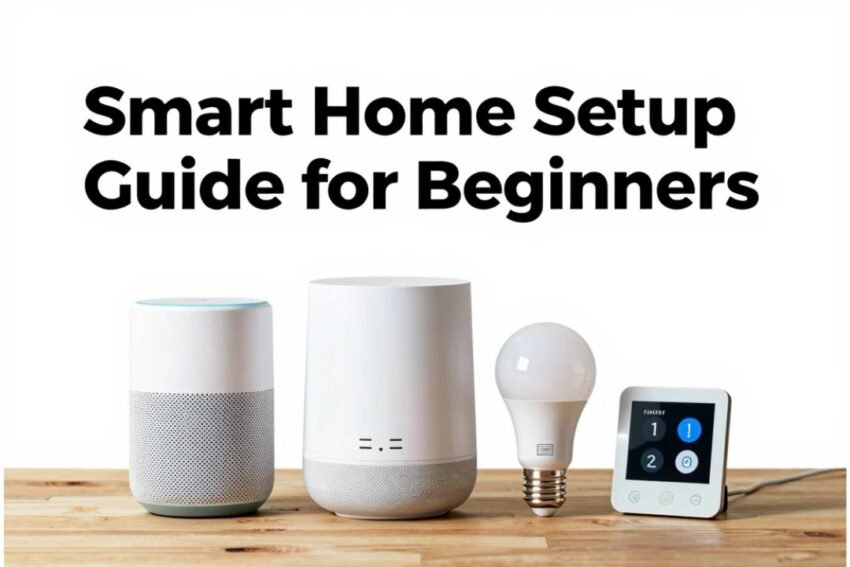
Smart homes are no longer a futuristic dream—they are a reality in 2026. From controlling lights and thermostats to securing your home and optimizing energy use, smart home devices can make life more convenient, efficient, and secure. But for beginners, setting up a smart home can feel overwhelming.
This guide will walk you through a step-by-step smart home setup, recommended devices, and tips to create a connected, efficient, and safe living space.
What is a Smart Home?
A smart home integrates Internet of Things (IoT) devices to automate and control household functions. These devices can communicate with each other and with you through apps, voice commands, or automation routines. Common smart home functions include:
- Lighting control
- Climate regulation
- Security and surveillance
- Entertainment management
- Energy optimization
Step 1: Plan Your Smart Home
Before buying devices, plan your smart home setup:
- Identify Your Needs: Decide what you want to automate—security, lighting, comfort, entertainment, or all of them.
- Set a Budget: Smart home devices range from affordable to premium. Plan a budget to avoid overspending.
- Check Compatibility: Use devices that work together, ideally with Matter-compatible technology for cross-brand support.
- Map Your Home: Identify areas that need smart devices (living room, kitchen, bedroom, outdoor areas).
Tip: Start small and expand gradually to avoid complexity.
Step 2: Choose a Smart Home Hub
A smart home hub acts as the brain of your system, allowing all devices to communicate and be controlled centrally.
Recommended Hubs for Beginners:
- Amazon Echo Hub – Central touchscreen with Alexa control.
- Google Nest Hub – Smart display with Google Assistant and device management.
- Aqara Hub M3 – Versatile automation hub compatible with multiple devices.
Why it’s important: A hub ensures seamless automation, voice control, and integration across multiple devices.
Step 3: Add Smart Lighting
Smart lighting enhances convenience, security, and ambiance.
Recommended Devices:
- Philips Hue Smart Bulbs – Customizable color and scheduling.
- TP-Link Tapo Smart Switches – Turn regular lights into smart lights.
- Twinkly Smart String Lights – Decorative lighting for personalized ambiance.
Setup Tips: Automate lights to turn on at sunset, off when rooms are empty, or sync with your routines.
Step 4: Install Smart Thermostats
Smart thermostats save energy and provide comfort by learning your habits.
Recommended Devices:
- Ecobee Smart Thermostat Enhanced – AI-based temperature control.
- Nest Learning Thermostat – Adjusts automatically based on your schedule.
Setup Tips: Pair with sensors to control temperature by room occupancy. Schedule climate zones for energy savings.
Step 5: Secure Your Home with Smart Devices
Smart security devices protect your home and provide peace of mind.
Recommended Devices:
- Eufy S380 HomeBase 3 – AI-powered security system with local storage.
- Aqara Motion Sensors & Door Sensors – Detect movement and notify your phone.
- Smart Locks (August, Yale) – Control door access remotely.
Setup Tips: Combine cameras, locks, and sensors for complete coverage. Enable notifications for real-time alerts.
Step 6: Set Up Smart Entertainment
IoT also improves home entertainment and convenience.
Recommended Devices:
- Amazon Echo Show 8 / 5 – Video calls, music, and device control.
- Google Nest Audio – Music, podcasts, and voice control.
- Smart TVs / Streaming Devices – Integrate with your hub for voice control.
Setup Tips: Sync devices for multi-room audio and hands-free media control.
Step 7: Ensure Reliable Connectivity
A strong Wi-Fi network is crucial for a smart home.
Recommended Devices:
- Eero 6+ Mesh Wi-Fi – Provides stable coverage across your home.
- Google Nest Wi-Fi / Orbi – Extend Wi-Fi for multiple floors.
Setup Tips: Position routers centrally and connect hubs and devices via strong Wi-Fi signals to prevent connectivity issues.
Step 8: Automate and Optimize
Automation brings the full benefits of a smart home:
- Lighting: Turn on at sunset, off when rooms are empty.
- Thermostat: Adjust temperature based on occupancy or time of day.
- Security: Activate cameras and alarms when you leave home.
- Routines: Create “Good Morning” or “Good Night” routines that adjust lights, locks, and temperature automatically.
Pro Tip: Start with a few routines and expand gradually for simplicity.
Step 9: Maintain Security and Privacy
- Use strong passwords and two-factor authentication.
- Update device firmware regularly.
- Avoid connecting insecure devices to your network.
Importance: Smart homes collect data; protecting your privacy ensures security against cyber threats.
Step 10: Expand Gradually
Once comfortable with basic devices, consider adding:
- Smart appliances – Refrigerators, ovens, coffee makers.
- Environmental sensors – Air quality, water leak detectors.
- Smart curtains or blinds – Automate based on sunlight or schedules.
Tip: Gradual expansion prevents overwhelm and ensures each device works efficiently.
Future Trends in Smart Homes
- AI-Driven Automation: Devices predict needs and adjust automatically.
- Voice and Gesture Control: Hands-free operations across devices.
- Energy-Efficient Smart Homes: Solar integration and optimized consumption.
- Interconnected IoT Ecosystems: Devices from different brands work seamlessly together.
Conclusion
Setting up a smart home doesn’t have to be complicated. By planning your setup, starting with hubs, adding lighting, thermostats, security, and entertainment devices, and expanding gradually, even beginners can create a connected and efficient living space.
With smart homes in 2026, you can enjoy convenience, security, energy savings, and modern comfort at the touch of a button—or a simple voice command.